

N.A.M.E. National Office
Professional Association for Mobile Entertainers
Email: office@nameentertainers.net
Mail: P.O. Box 144, Willow Grove, PA 19090
for Mobile Entertainers Get Insurance Info
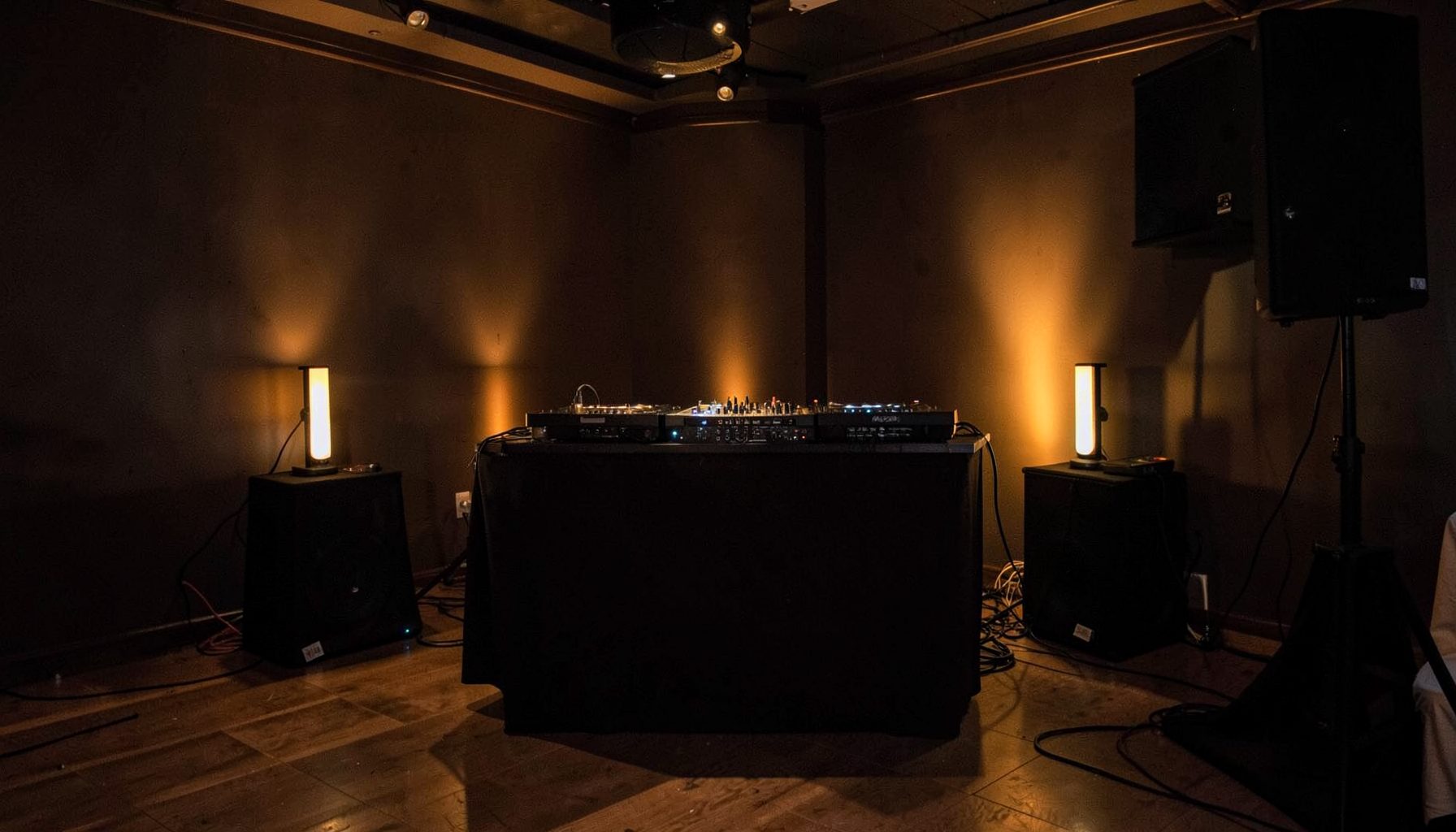
Insurance for Mobile Entertainers
N.A.M.E. partners with Brown & Brown Insurance to offer comprehensive liability and equipment coverage designed specifically for DJs, bands, photographers, and other mobile entertainers. Coverage up to $5,000,000 is available.
Learn about insurance →News & Updates
Stay informed with the latest announcements from the National Association of Mobile Entertainers, including trade show coverage, webinar updates, and member spotlights.
N.A.M.E. publishes a monthly e-newsletter via Constant Contact featuring discounts, member benefits, and upcoming industry expos.
Sign up for the newsletter →Find an Entertainer
Search the N.A.M.E. directory of DJs and mobile entertainers who have invested in their business and uphold the quality standards of the association. Members include DJs, hypnotists, photographers, bands, event planners, booking agents, theatrical groups, and comedians.
Browse the directory →What to Do When DJ Equipment Goes Missing During a Break
A stolen laptop can disrupt an event within seconds. For a mobile DJ, it may contain music libraries, playlists, lighting controls, client schedules and business records, so the financial loss is only part of the problem. The way you respond in the first hour can affect the police investigation, your insurance claim and your relationship with the client and venue.
This guide is designed for Australian entertainers working at weddings, parties, corporate functions and community events. It covers the practical steps to take when a laptop disappears from your DJ booth during a break, while recognising that your policy wording, venue arrangements and state or territory procedures will determine the details.
| Stage | Immediate action | Why it matters |
|---|---|---|
| First few minutes | Stop packing, secure the booth and identify what is missing | Prevents further loss and preserves the scene |
| Same day | Notify the venue, client and police | Creates an official record while details are fresh |
| Within the policy timeframe | Contact your insurer or broker | Late notification can complicate a claim |
| After reporting | Gather proof of ownership, value and circumstances | Supports the equipment claim |
| Before the next booking | Change passwords and review access | Protects client and business data |
Stabilise the Situation Before Chasing Answers
End the break and make the booth safe first. Ask the venue manager or event coordinator to keep guests away from the area, avoid moving cases and retain any item that may have been left behind. If the laptop was connected to a controller, mixer or external drive, photograph the setup before disconnecting anything.
Check whether the missing item may have been placed somewhere else by venue staff, a caterer or another supplier. Do this calmly and quickly, without accusing a guest or making a public announcement. At a busy Melbourne function centre, a laptop may have been moved while tables were reset; at a regional wedding venue, it may have been put in a storage room for safekeeping.
Write down the last time you definitely saw the laptop and the moment you noticed it was gone. Record who was present, whether the booth was unattended, whether bags or cables had been disturbed and whether the venue had restricted access. A simple timeline is often more useful than trying to reconstruct the whole evening later.
Report the Theft Through the Right Channels
Tell the venue manager and the person who booked your service as soon as practical. Keep the conversation factual: state what is missing, when it was last seen, where it was located and what steps you are taking. Avoid promising that the venue will pay for the loss. Responsibility may depend on the contract, security arrangements, negligence and the applicable insurance policies.
Make a police report through the relevant state or territory channel. In Australia, non-urgent reporting commonly goes through the state police assistance line or online reporting system, while immediate danger should be directed to Triple Zero (000). Ask for the event or report number and keep the officer’s details. If the theft happened in Sydney, Perth or Brisbane, the reporting process may differ slightly, so use the local police guidance rather than relying on advice from another state.
Request that the venue preserve CCTV footage, swipe-card records, door logs and incident reports. CCTV systems often overwrite footage quickly. Provide a narrow time window, the booth location and a clear description of the laptop, including its brand, colour, serial number and distinctive stickers. Do not attempt to identify or confront a suspected person yourself.
Check What Your Insurance Actually Covers
A laptop used for mobile entertainment is generally treated as business equipment, but cover depends on the policy. A public liability policy usually responds to third-party injury or property damage; it does not automatically replace your own stolen computer. Equipment insurance, portable contents cover or a broader business package may be relevant.
Check whether the policy covers theft away from your listed business premises, whether forced entry is required, and whether unattended equipment has special conditions. Some policies require equipment to be stored in a locked vehicle, secured to a fixed point or supervised when used at an event. A laptop left behind a booth curtain may be viewed differently from equipment inside a locked case.
Notify the insurer, broker or association insurance contact promptly, even if you are still gathering documents. Do not repair, replace or dispose of damaged accessories before the insurer gives instructions. Ask about the excess, replacement value, depreciation, GST treatment and whether data recovery or temporary hire equipment is included. If you operate through an ABN and are registered for GST, the settlement may be calculated differently from the amount shown on your retail receipt.
Build a Clear Claim File
An insurer will usually need more than a purchase receipt. Assemble evidence showing that you owned the laptop, used it for the business and lost it in the reported incident. If the original receipt is unavailable, alternative proof may include bank or credit-card statements, supplier invoices, finance records, photographs, asset registers and emails showing the equipment in use.
Include the laptop’s make, model, serial number, approximate purchase date, specifications and current replacement cost. List related missing items separately, such as a power supply, protective case, USB hub, external drive, wireless mouse or security cable. Do not inflate the list with accessories that were not present. Accuracy helps establish credibility.
Useful evidence for an equipment loss includes:
- Police event or report number and the date the report was made
- Photographs of the booth, access points, cables and surrounding area
- Venue correspondence confirming the incident and CCTV preservation
- Receipts, bank statements, asset-register entries and supplier quotations
- A written timeline naming witnesses and describing the break
Keep copies of everything in a cloud folder and on a device that was not taken. Save emails as PDFs, retain original photographs and note when each document was created. A dated inventory system, such as these equipment records, can also help you maintain consistent ownership and valuation information for future claims.
Protect Music, Client and Business Data
Treat the stolen laptop as a cybersecurity incident as well as an equipment loss. From a different device, change the passwords for email, cloud storage, music services, banking, booking software and social media. Revoke active sessions and remove the laptop from trusted-device lists where the service allows it.
If the computer contained client names, phone numbers, addresses, event details or payment information, consider whether a privacy notification is required. Australian privacy obligations can depend on your business size, the type of information involved and the nature of the exposure. Contact your IT provider, insurer or professional adviser promptly if personal information may have been accessed.
Use the serial number and any device-tracking service to mark the laptop as lost or stolen. Give tracking information to police rather than arranging a private recovery. Tell music platforms and software vendors if licences or accounts were installed on the machine, especially where the thief could access saved credentials.
A replacement laptop should not be rushed into service without restoring your system securely. Reinstall software from legitimate sources, enable full-disk encryption, use multifactor authentication and keep music files separate from sensitive business documents. Test the new setup at home before taking it to a Saturday-night reception.
Communicate Professionally and Reduce the Next Risk
The client mainly needs to know that you are managing the incident and that the event service will continue, if possible. If you can finish using a backup computer, a venue system or hired equipment, explain the practical arrangement without sharing unnecessary personal details. If the theft affects performance, document the disruption and discuss any contractual issue calmly after the event.
For future bookings, review the physical layout during the bump-in. A DJ booth near a public entrance, a dark corridor or an open marquee creates more exposure than a staffed room with controlled access. In Australia, outdoor functions, beach weddings and summer festivals often involve quick breaks, uneven surfaces and changing weather, so a waterproof, lockable case and a second set of cables can be worthwhile.
Build these safeguards into your standard event procedure:
- Keep the laptop on a short security cable or inside a locked case during every break
- Ask the venue for a staff-only storage area and a named contact before setup
- Carry a current inventory with serial numbers, photographs and replacement values
- Use encrypted backups and avoid saving passwords in the browser
- Confirm equipment cover, excesses and unattended-item conditions at renewal
Maintain a basic backup plan for the music library, show files and essential client information. A second computer is useful, but it should be configured and tested rather than left untouched in a van. For independent operators working across the Gold Coast, Adelaide or country New South Wales, a reliable offline backup can be especially valuable when venue internet is weak or unavailable.
Stay current with practical risk guidance and member resources through the N.A.M.E. newsletter, which can help mobile entertainers keep insurance, business and industry information on their radar. Membership-based professional support can also provide access to education, consultations and connections with other event suppliers.
A stolen laptop is stressful, but a disciplined response gives you the best chance of recovering value and limiting further damage. Secure the scene, report the incident, preserve evidence, notify the correct insurer and protect every account linked to the device. Then update your event routine so the next break does not leave essential equipment exposed.
Get in Touch
Contact N.A.M.E. for membership inquiries, insurance questions, or general information.